Product Parsing
Read titles, images, pricing, specifications, descriptions, and review signals into structured product data.
 AeaosAI Product Content Platform
Product Video
Aeaos connects product parsing, selling-point extraction, script planning, video generation, and publishing preparation into one traceable workflow for ecommerce and brand teams.
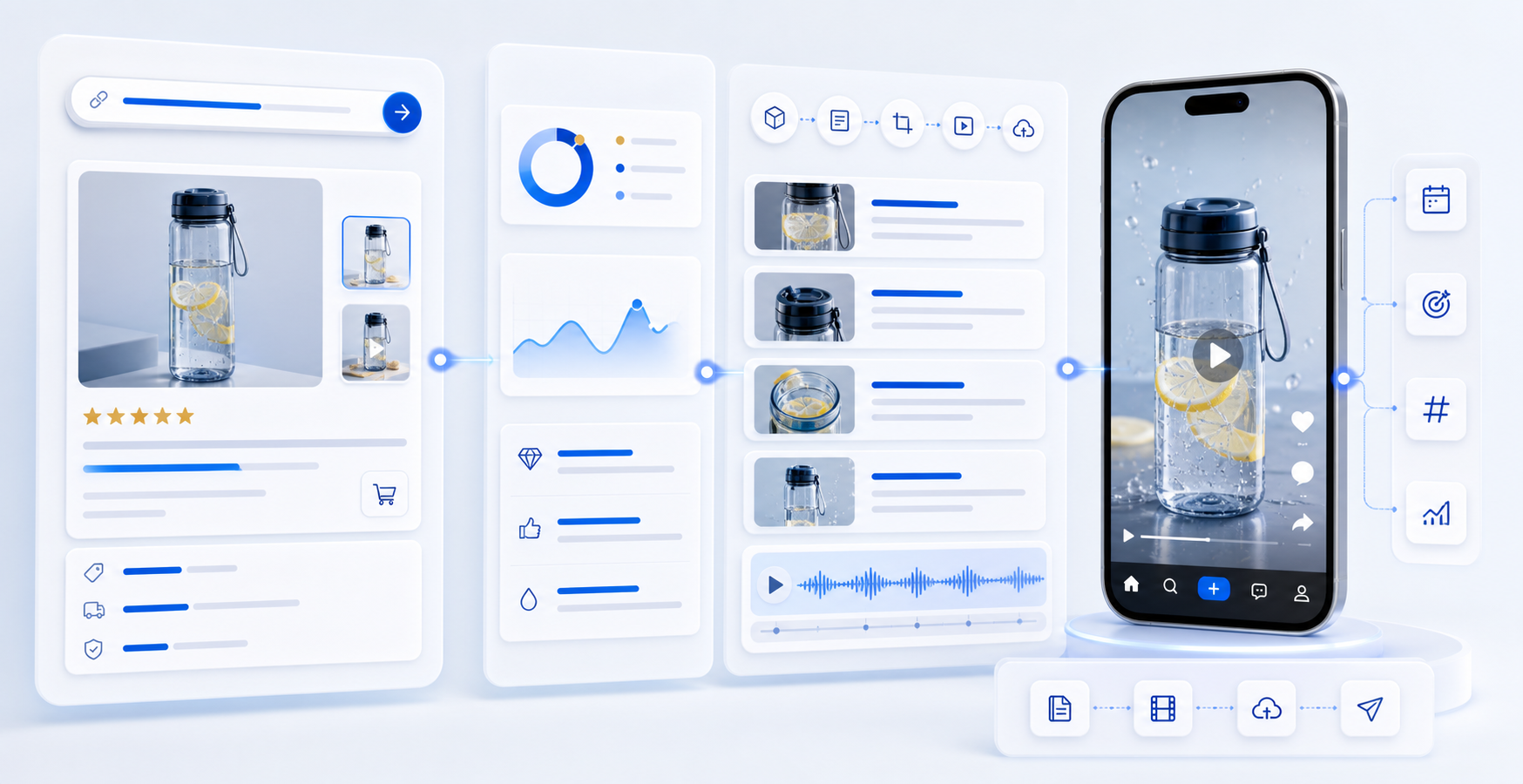
Title, price, images, specs, and detail copy parsed
Workflow
The page explains product video as an adjustable production workflow, not a one-off generation action.
Read titles, images, pricing, specifications, descriptions, and review signals into structured product data.
Extract video-ready benefits based on product traits, target audiences, and use cases.
Generate hooks, pain points, demos, benefit scenes, and call-to-action structure.
Combine assets, scripts, rhythm, and brand style into previewable video content.
Prepare aspect ratios, titles, captions, and copy for TikTok, Shorts, Reels, and store pages.
Outputs
For 9:16 short-form channels, product launches, selling-point demos, and campaigns.
Keep generated scripts, voiceover copy, and shot structures for review or reuse.
Generate titles, descriptions, tags, and calls to action for different channels.
Collect product images, benefit summaries, scenarios, and clips for future production.
Business Results
Teams gain reusable scripts, assets, and publishing preparation beyond the generated video itself.
After URL parsing, teams can move directly into selling-point extraction and video generation.
Scripts, captions, storyboards, and product asset packs can support editing, testing, and publishing.
Operations, video, and media teams work from one product task instead of scattered notes.
Control
Product video generation should let teams choose selling points, structure, style, duration, and publishing channels.
Channels
For fast selling-point demos, social recommendations, and ad creative testing.
For product demonstrations, comparisons, and search-friendly evergreen content.
For brand visuals, lifestyle scenes, and launch content.
For detail page videos, landing pages, and campaign pages.
Cases
Prepare intro, selling-point, and detail page videos when new items enter a store.
Test feature, scenario, and promotion-driven scripts for the same product.
Prepare ratios, subtitles, and copy for TikTok, Shorts, Reels, and storefronts.
Next Step
Start from a product URL, or return to the product overview to see how image sets, prompt videos, and AI scripts work together.